A shopper may find the Apple Watch Series 11 on sale one tab away from a full-price Series 12. The gap buys a faster charger, a new heart sensor and one extra year of software, at a higher price. The answer for 2027 splits by situation, and no single model wins every one of them.
The Series 11 suits a first watch, the Series 12 suits a long keep, and two renewed older models cover tight budgets. Each buyer below gets one watch with its limits stated, plus a straight verdict on the Series 3. The findings draw on Apple’s spec and support pages, specialist-press reviews, teardown figures, the FDA clearance record for the hypertension feature, and the renewed-product terms that Macworld and Digital Trends describe for Amazon.
Four tests that sort the Series 11 from its neighbors
Four measurable properties separate these watches better than any feature list: the iPhone each one pairs with, the wrist it fits, the software it will run, and the battery it carries. Every pick below is scored against those four, so the criteria come first.
An iPhone 11 or later running iOS 26 or newer is the entry ticket, according to Apple’s store page, which also states that the Series 11 works only with iPhone. Apple’s Series 12 announcement lists the same iPhone 11 floor with iOS 27 for watchOS 27. An Android phone rules out every watch in this guide.
Accessories carry over with few surprises. PhoneArena reports that the Series 11 accepts bands from the Series 9 era, and Apple’s spec page lists a magnetic fast charger with a 1-meter USB-C cable in the box. Anker’s explainer adds that no wall adapter is included, so this compatibility check assumes the buyer already owns a USB-C power adapter.
On the sizing side, Apple’s spec sheet gives the 42mm Series 11 a wrist range of 130 to 200 mm. The 46mm covers 140 to 245 mm, and aluminum weights come to about 30 and 38 grams. A wrist under 140 mm therefore points to the smaller case, and a wrist over 200 mm rules it out.
The cellular versions add a second sizing consideration, because Apple lists the GPS plus Cellular aluminum 46mm at 36.9 grams against 37.8 grams for the GPS model. The difference is under one gram, so weight alone should not decide between them.
On software, MacRumors reported from WWDC 2026 that watchOS 27 runs on the Series 9 and newer, the SE 3, and the Ultra 2 and newer. Apple dropped the Series 8 and everything before it, which is the line that decides which older watches still receive major updates.
Apple rates the Series 11 at up to 24 hours of normal use and up to 38 hours in Low Power Mode, against 18 hours for the Series 9 in PhoneArena’s comparison. Apple’s own Series 12 page keeps the same 24-hour figure.
Four buyers emerge from those sources, and the mapping below assumes a three-year ownership horizon:
A first watch for someone with an iPhone 11 or newer: the Series 11, because the 24-hour rating, 5G and tougher glass arrive at a sale price near $290.
A buyer who wants the newest sensors and the longest software runway: the Series 12, because Apple lists the S11 chip, a new heart sensor and 12 hours of use from a 15-minute charge.
A modest budget that still needs watchOS 27: a renewed Series 9, because Apple confirmed its support.
A backup watch for light use: a renewed Series 8, because renewed prices start near $165 and the software stays on the watchOS 26 line.
A first Apple Watch for an iPhone 11 or newer
A first-time buyer with a compatible iPhone and a budget close to the sale price of last year’s flagship wants the least regret per dollar. The sources place that buyer on the Apple Watch 11.
Apple lists the Series 11 in 42mm and 46mm cases, 9.7mm thick, with aluminum or titanium finishes, a 50-meter water rating under ISO 22810:2010 and IP6X dust resistance. Digital Trends reports Ion-X front glass with twice the scratch resistance on aluminum cases and a sapphire crystal on titanium.
Reviewers disagree about how much of the new battery rating shows up on a wrist. Digital Trends says the gain from 18 to 24 hours holds up in daily use, while PhoneArena’s reviewer reports not seeing that jump and notes that sleep tracking needs at least 30 percent charge. TechRadar puts the capacity increase at 9 percent for the 42mm model and 11 percent for the 46mm.
Fast charging reaches 80 percent in about 30 minutes, and Apple states that 15 minutes buys up to 8 hours of normal use while 5 minutes buys up to 8 hours of sleep tracking. For a routine built around overnight tracking, that top-up pattern matters more than the headline rating.
Sleep apnea and hypertension notifications appear on the spec list. The hypertension feature has an FDA 510(k) record, and the summary describes software for adults not previously diagnosed that does not replace traditional diagnosis. Houston Methodist’s write-up of Apple’s validation study reports that just over 41 percent of people with undiagnosed hypertension would receive an alert, and about 8 percent of undiagnosed people a false one.
The American Heart Association’s home-monitoring guidance points to a validated upper-arm cuff as more reliable than wrist devices. A clinician is the right person to ask about blood pressure, a diagnosed condition or any alert that causes worry.
Macworld recorded the 42mm GPS model at $279 during Prime Day 2026, and Tom’s Guide listed $299 earlier in the year, so around $280 to $300 is the working range. T-Mobile’s comparison guide shows cellular adding roughly $100 on either size, and Apple notes that a wireless service plan is also required.
Cellular is the option that most often changes the real-world battery picture. Autonomous’s review notes that LTE streaming drains the Series 11 faster, and Tom’s Guide credits 5G with better range at lower power draw. A buyer who rarely leaves Wi-Fi and iPhone range can therefore save the extra $100 without losing the core experience.
Against the Series 10, the Series 11 looks and measures the same, and MacRumors finds no differences beyond a slightly larger battery and 5G. The case for it is therefore a sale price, not new capability. Stuff reports that the Series 12 also gains an Audio Intelligence bundle that the Series 11 lacks entirely.
Owners of older watches see a different picture. MacRumors’ upgrade guide calls the Series 11 barely worth it for a Series 9 owner but more worthwhile coming from a Series 8 or older. It adds that a Series 7 owner gains crash detection and body and water temperature sensing, and that the largest jumps go to anyone on a Series 6 or earlier.
Apple Watch Series 11See current price, sizes and reviews on Amazon.
Someone who wants the newest sensors and the longest runway
Anyone who keeps a watch for as many years as the software allows, and who reads heart rate data closely, pays for the newest generation. The Apple Watch Series 12 is built for that case.
Apple’s September 2026 announcement lists the S11 chip, 42mm and 46mm cases, and a Health Sensing System with new optical and electrical heart sensors. The optical sensor measures heart rate every five seconds, and Apple says heart rate variability is sampled up to 24 times more often than before.
Charging is where the numbers move most. Apple states that 15 minutes of charging yields up to 12 hours of use, 50 percent more than the previous model, and the outdoor workout figure rises to 10 hours. The everyday rating stays at 24 hours, which iClarified also notes matches the Series 11.
A teardown reported by the5krunner measured the 46mm Series 12 cell at 1.461 Wh against 1.403 Wh for the Series 11, a 4 percent increase. Imeshforce’s review roundup adds that battery verdicts disagree enough that no buyer should expect guaranteed two-day use.
Aluminum models gain Ceramic Shield 2, which Apple calls 60 percent tougher than the Ion-X glass on the Series 11, and finishes now include ceramic and titanium options. The Apple Watch Series 12 also gets a readiness score, and Cult of Mac names the more frequent monitoring and recovery guidance as a stronger reason to upgrade than the new finishes.
The5krunner’s comparison sorts buyers by heart rate habits. It says the Series 12 makes more sense for anyone who relies on wrist-based heart rate and wants Apple Intelligence on the watch. GearUpToFit’s runner-focused review tells owners of a Series 8 or older to upgrade without hesitation, yet advises a Series 11 owner to wait unless the battery is degraded.
Software narrows part of the gap. The Apple Post reports that watchOS 27 brings Siri AI to the Series 12 and ships for compatible older models on September 14. Macworld adds that the new Siri AI and tap gesture features need the S9 chip or newer, a floor that includes every Series 9 and Series 11 as well.
Apple’s announcement and an iDevice price guide put the watch at around $390 to $400, which is roughly $100 above a sale-priced Series 11. Cult of Mac concludes that the Series 12 makes more sense at similar prices, while Adam Talks concludes that a Series 11 owner can probably skip it. For a buyer without a current watch, the extra year of software is the main argument, and the unchanged 24-hour rating is the main reservation.
Apple Watch Series 12See current price, sizes and reviews on Amazon.
T3 reported in 2022 that the Apple Watch Series 3 would not receive watchOS 9 and would stay on watchOS 8, and the same outlet advised readers to go for an SE instead. A retailer guide from The iOutlet lists no always-on display, ECG, blood oxygen, crash detection or fall detection on that generation.
The practical effect shows up in app support. An Apple Community thread from October 2024 describes the Strava app disappearing from a Series 3, and an Apple discussion reply attributes the loss to the developer rather than to Apple. No source consulted recommends buying a Series 3 for use in 2027.
Older watches do not stop working when Apple drops them. Cult of Mac notes that a dropped model simply cannot install the newest operating system, although third-party developers may eventually end support and security patches from Apple may become less frequent. That caution applies to the Series 8 as well as the Series 3.
Some buyers should skip the category altogether. Apple’s store page limits every model here to iPhone owners, and a rating of 24 hours means a nightly or near-nightly charger. Anyone who wants a blood pressure reading needs a cuff, since the FDA record describes the hypertension feature as a notification, not a measurement.
A modest budget that still needs current software
With roughly $220 to $330 to spend and a wish for the newest watchOS, the field narrows to one older generation. The Apple Watch Series 9 is the oldest model that Apple confirmed for watchOS 27.
iDropNews calls the Series 9 the oldest model to fully support everything in watchOS 26, including wrist gestures and sleep features. Apple later confirmed it for watchOS 27 after briefly omitting it from the compatibility page. Hypertension notifications reached the Series 9 as well, according to Tom’s Guide, so the headline health feature of the Series 11 is not exclusive to it.
PhoneArena’s comparison reports that the Series 11 brings a 5G modem, wider viewing angles and a 24-hour rating, while the Series 9 stays at 18 hours. Its spec table lists a 2.0-inch display against 1.7 inches on the 45mm Series 9. BGR adds that the Series 9 battery needs frequent charging, so a Series 9 buyer should plan on a nightly charger.
Amazon’s Renewed Guarantee, as Macworld describes it, covers a refund or replacement within one year of receipt, and Digital Trends advises choosing listings labeled Renewed Premium. Listings for the 41mm and 45mm sizes appear at around $220 to $330 depending on case, grade and seller, according to Talk of the House and RepReturn. One grade label on the listing is the only verification this pick needs.
If the Series 9 follows the Series 8 pattern, watchOS 27 is its last major release, which makes the software runway the shortest of the three newer watches. MacRumors reaches a related verdict from the other side, calling the Series 11 barely worth it for current Series 9 owners.
Apple Watch Series 9 (Renewed)See current price, sizes and reviews on Amazon.
Someone who wants a second watch for a gym bag, a child’s first wrist or occasional workouts can accept frozen software in exchange for a low price. The Apple Watch Series 8 serves that role.
Digital Trends and MacRumors both report that watchOS 27 does not support the Series 8, which leaves it on the watchOS 26 line. Know Your Mobile’s refurbished guide lists ECG and blood oxygen hardware and temperature sensing, and Best Buy’s comparison chart notes that temperature sensing exists only on the Series 8 and later.
SlashGear reports renewed Series 8 units on Amazon from as low as $165. That price buys the core sensor set and the familiar interface, but the Series 8 sits outside the group that receives hypertension notifications, which coverage limits to the Series 9 and newer.
Durability figures carry over from newer generations. Best Buy’s comparison chart rates the Series 8 through Series 11 as IP6X dust resistant. It also states that temperature sensing is not intended for medical use. That sensor exists only on the Series 8 and later, so the Series 8 is the oldest model in this guide to carry it.
Apps are the long-term risk. Cult of Mac warns that third-party developers may eventually stop supporting older watchOS versions, so a Series 8 bought today has a shorter useful life than its hardware suggests. For a backup role, that trade is reasonable. As a primary watch for a new iPhone owner, it is not.
Apple Watch Series 8 (Renewed)See current price, sizes and reviews on Amazon.
Under one stated assumption, the four watches can be priced per year of ownership and per remaining major update. The assumption is that each model receives major watchOS releases for three model years after its launch year. The Series 8 followed that span from 2022 to watchOS 26 in 2025, and Apple has not published support dates.
Watch
Price used
Last major watchOS (assumed)
Major updates left
Price per year (3 years)
Price per update left
Series 12
$390
watchOS 30 (2029)
3
$130
$130
Series 11
$280
watchOS 29 (2028)
2
$93
$140
Series 9, renewed
$220
watchOS 27 (2026)
0
$73
none left
Series 8, renewed
$165
watchOS 26 (2025)
0
$55
none left
Prices use the low end of each range reported above, and the update count runs from November 2026. On those inputs the Series 12 costs $130 per remaining major release against $140 for the Series 11, even though the Series 11 is cheaper per year of ownership.
That near-tie explains why Cult of Mac favors the Series 12 at similar prices and why a wider gap favors the Series 11. Each $10 the Series 11 sale price falls below $280 widens its advantage on both measures.
The two older watches show the cost of an expiring runway. Their yearly figures look attractive, but Cult of Mac’s warning about thinner security patches and fading app support is not captured by any price column.
Opening the box and powering down a Series 11
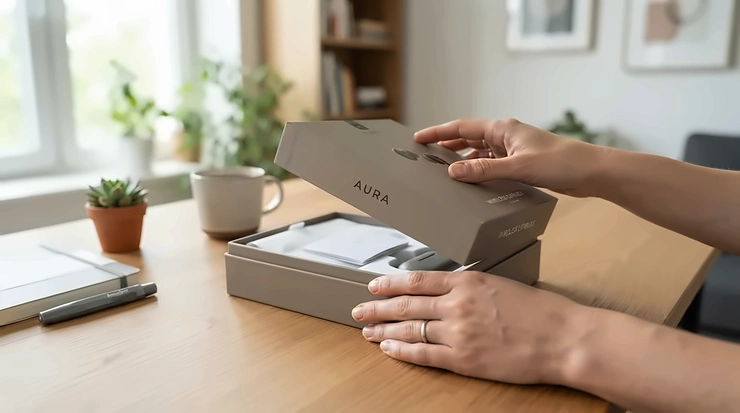
Apple’s spec page lists three items inside a Series 11 box: the watch, a band, and the magnetic fast charger with its 1-meter USB-C cable. AppFind’s beginner setup guide says the watch arrives wrapped in paper coverings that come off before use, and Apple’s store page notes that a Sport Band ships in one size only.
Band swaps follow the same pattern across generations. Apple World Today describes pressing the small release button on the underside of the case and sliding the strap sideways, and it warns against pulling a band straight up.
Apple’s support guide gives the steps for powering a Series 11 down:
Disconnect the watch from its charger.
Hold the side button until the sliders appear.
Tap the Power button in the top-right corner.
Drag the Power Off slider to the right.
Holding the side button until the Apple logo appears turns the watch back on. Apple adds that a watch cannot be restarted while charging, and a frozen watch can be force restarted by holding the side button and the Digital Crown together for at least 10 seconds. Technobezz notes that on watchOS 8, the last version for the Series 3, the Power Off slider sits on the first screen with no Power button to tap.
Four first-week slips recur across the sources, each with a simple fix:
A missing wall adapter leaves the charger idle, so the fix is any USB-C power adapter already in the house, since Anker’s explainer says Apple stopped bundling plugs in 2020.
A cellular model without a wireless plan behaves like a GPS watch, and Apple states that a service plan is required for cellular use.
Sleep tracking that never starts often traces to charge level, because PhoneArena’s reviewer reports that at least 30 percent battery is needed overnight.
A battery that drains early traces, in Vodafone’s device guide, to the always-on display being switched on, which can be turned off in settings.
Battery, swimming, shutdown, and older-model questions
Is the Apple Watch Series 11 still worth buying now that the Series 12 is out?
Yes, for buyers who want the same 24-hour rating, case sizes and core health sensors at a sale price. The Series 12 adds a new heart sensor, readiness score and faster charging, which mainly benefit people upgrading from a Series 10 or older.
How do I turn off the Apple Watch Series 11?
Unplug it from the charger, hold the side button until the sliders appear, tap the Power button at the top right, then drag Power Off to the right. Holding the side button until the Apple logo appears turns it back on.
Can an Apple Watch Series 3 still be used in 2027?
Only for basic time and notifications, since it stopped at watchOS 8 and lacks an always-on display, ECG and blood oxygen. An Apple Community thread reports Strava disappearing from one, which shows that third-party app support keeps shrinking.
Is the Series 9 or the Series 8 the better older buy?
The Series 9, because Apple confirmed watchOS 27 support for it while dropping the Series 8. Renewed Series 8 prices start near $165, which suits a backup watch, but its software stays frozen on the watchOS 26 line.
Is the Apple Watch Series 11 safe for swimming?
Pool and ocean swimming at shallow depth are covered, because Apple rates the watch to 50 meters under ISO 22810:2010. It is not meant for scuba diving or waterskiing, and Apple notes that water resistance can decline over time.
Choosing among the four without overpaying
The sources favor the Apple Watch Series 11 as the default first watch when the sale price holds near $300. The Series 12 suits the buyer who keeps a watch the longest, the renewed Series 9 suits a lower budget with current software, and the renewed Series 8 works only as a backup. Each carries a stated limit, and the Series 3 carries too many. A buyer holding a working Series 11 has little reason to move.
WatchWiseHub is an independent buying-guide site for watches, smartwatches, straps and accessories. Our editorial team compares gear using manufacturer specifications, independent tests from specialist watch media, owner reports and retailer listings. We do not claim to have tested the watches ourselves; see How We Choose Gear for our method.