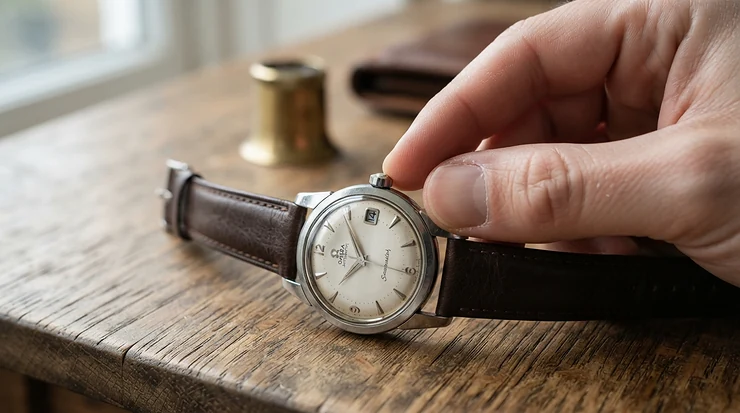
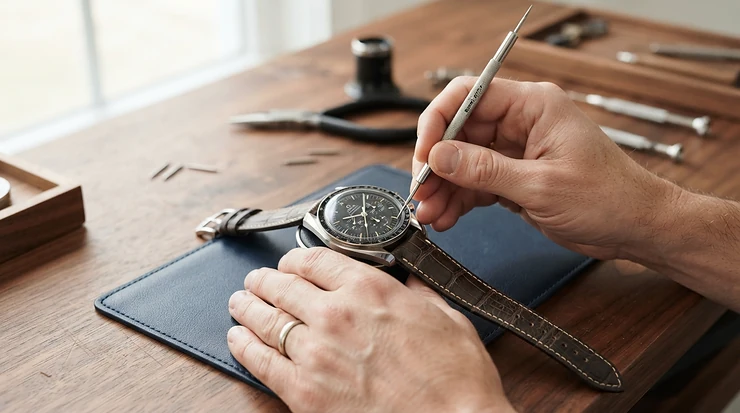
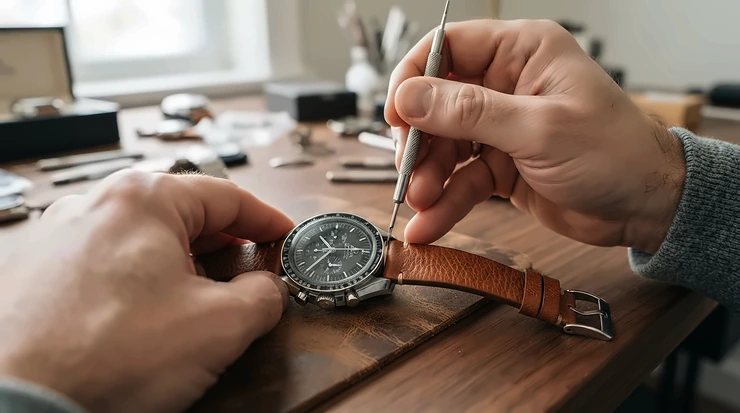
Which way do you turn the crown, and is it really risky to change the date at 10 p.m.? Those two questions sit at the center of setting any watch correctly, and the answers depend on what is inside the case. This guide to how to set a watch in 2027 gives one method for quartz, automatic, three-dial multifunction and radio-synced models, then branches where they truly differ.
In short: confirm the watch is running, release a screw-down crown, pull to the right click, keep the hands away from late evening when you touch the date, check AM against PM, then push in and lock. The steps rest on maker manuals from Seiko, Rolex, Fossil and Casio, owner-forum threads and published reviews; no watch was handled for the writing, so every judgment about feel belongs to a named source.
Crown clicks by watch type: what each position does
Brands number the clicks differently, so the first job is translating your watch’s labels into what each position does.
Watch type
Crown pushed in
First click out
Second click out
Source
Rolex Datejust, quickset
Position 0 is screwed down; position 1 winds
Position 2: date
Position 3: time, seconds stop
Rolex user guide
Seiko automatic, caliber 4R36
Winds the mainspring
Date and day
Time, seconds stop
Seiko instruction page
Quartz chronograph with date
Normal running
Date
Time
Dan Henry instructions
Fossil multifunction
Normal running
Varies by movement code
Varies by movement code
Fossil instruction booklet
Casio radio-controlled digital
No crown
Buttons only
Hold A to reach city and time settings
Casio operation guide
The Rolex and Seiko rows agree on what matters: the first click handles the calendar and the last click handles the hands, with the seconds hand frozen so you can set precisely. Fossil’s booklet breaks the pattern. It sets the date at position 2 and day-and-time at position 3 on the 6P27 family, for example, and reverses that on the VX3R, where time sits at position 2 and date at position 3. A Casio digital has no crown at all, which is why it gets its own entry further down.
How to set a watch time in seven moves
The order shifts a little by brand, but these seven moves cover the quartz and mechanical analog models in the sources behind this guide.
Identify the movement. Quartz watches run from a battery or solar cell, so turning the crown at position 0 does nothing, according to WatchScanning’s setting guide, while an automatic or hand-wound watch winds when you turn it. A caseback printed “Automatic” is the quickest clue.
Make sure it is running. After a stop, Rolex asks for at least 25 clockwise turns at position 1, and Seiko’s 4R36 page says to confirm the watch is running before setting anything. Hand-wound watches can be overwound, so stop when resistance rises; WatchScanning notes that automatics have a slipping clutch.
Release the crown if it screws down. Turn it counterclockwise until it pops out. Rolex says never to unscrew its crown underwater, and Seiko says to lock it again afterward. Take the watch off your wrist first, as a retailer’s setting guide at watch.co.uk advises.
Set the date one day behind. Seiko’s own instruction page for the 4R36 has you pull to the first click and turn until the previous day’s date shows, so a “5” is set to display “6”. Rolex works in the other order, time first and then date, so follow the brand’s own sequence.
Check the window before touching the calendar. If the hands read anywhere from late evening to early morning, move them to 6:00 first. The next section explains why.
Set the time and confirm AM or PM. Pull to the second click. Rolex says to move the hour hand to 12 and note that a date change means midnight. Seiko says to advance the hands until the date changes, which puts the watch in the A.M. period, then continue to the exact time, having first turned the minute hand a little behind the target and then advanced it to the exact minute.
Land on the second, then lock. With the seconds hand stopped at the second click, push the crown in as a time signal hits the minute. On a Rolex, return the crown to position 1 and screw it down with light pressure.
When the date flips at noon: AM/PM slips and the 9 PM to 3 AM window
A date that changes at noon is the classic sign of a wrong AM/PM. Seiko’s 4R36 page says the date normally changes around midnight and the weekday around 4:00 a.m., and that with AM/PM wrong the date moves to noon and the weekday to about 4:00 p.m. An owner’s review of the older Seiko SNK809, hosted on a Toronto Metropolitan University page, describes exactly that: he set the date just after midnight and watched it flip at noon. It is one owner’s account, but it matches the maker’s description.
How to set a watch time without that slip comes down to one habit: cross 12 on purpose and watch the calendar window. If the date moves, you are at midnight. If it stays put, you are at noon and need to go around once more.
The harder question is when the date is safe to touch. No single window exists. Seiko’s 4R36 page says 9:00 p.m. to 4:00 a.m., Dan Henry’s quartz chronograph page says 9 PM to 3 AM, and Fossil’s booklet quotes about 9:00 PM to 12:30 AM on one multifunction model and about 9:00 PM to 1:00 AM on another. Treat 9 p.m. to 4 a.m. as the cautious catch-all.
The routine is to move the hands to 6:00, set the date, then return to the real time. WatchScanning describes it that way, and members of a Breitling owners’ forum repeat it, advising a full wind first and the date set to the day before. The same thread carries one member’s story of a date failure that needed a costly service, though his later posts blur the account, so it supports caution and not a statistic. A separate Omega Forums thread has replies telling a worried owner that a 9 p.m. cutoff is conservative and the watch is fine, which is why following the cautious window costs nothing.
Two smaller slips are worth knowing. In February and 30-day months, Seiko says a 4R36 can show “31” instead of “1” on the first of the next month; pull to the first click, turn counterclockwise to “1”, and again stay outside the window. And a screw-down crown left proud of the case defeats the water resistance, which is why Rolex’s guide ends with screwing it back down.
How to set a watch with 3 dials: multifunction and chronograph
A search for how to set a watch with 3 dials is really two questions, because three small dials mean different things on different faces.
On a multifunction face the dials show day, date and a 24-hour time. Timex’s manual for these models describes a large main display with three small faces for date, day and 24-hour time. The day is set with the crown all the way out and turned clockwise, the 24-hour display sets itself, and the date has an instant-change position one stop out. Fossil’s booklet adds that on several of its multifunction movements the 24-hour hand travels with the hour and minute hands, so it doubles as an AM/PM check that a plain three-hand watch lacks.
On a chronograph, the three registers count elapsed time. A guide from Analog:Shift explains that a triple-register layout adds an hour counter, normally reading up to 12, and Timex notes that the main seconds hand stays still until the timer starts, so a motionless seconds hand is not a fault. Setting the time is the usual crown routine; the extra job is zeroing. If a hand rests off 12, Fossil’s quartz booklet says to pull the crown to position 3, press A to move the hand clockwise and B to move it back, then reset the time. Dan Henry’s page uses the second click, the upper pusher for the center seconds hand and the lower pusher for the right register, and holding a pusher speeds the hand along.
Stop the timer before you reset it, and unscrew screw-down pushers before pressing them; both points come from WatchScanning. Count the registers and look for a day window first, because the two kinds of three-dial watch share almost no steps.
How to set bestwin watch models when the manual is missing
Working out how to set bestwin watch models starts with identifying the movement, because Bestwin sells across several types and step one matters more here than anywhere else. Wholesale listings on Alibaba show a quartz analog model with a date and 30-meter water resistance, a separate touch-screen LED digital, and an eBay listing for a quartz model whose caseback is engraved “BESTWIN BW812”. AliExpress carries a double-sided hollow mechanical watch. One wholesale listing pairs “Quartz” with “Automatic Date”, so the word automatic there describes the calendar, not the movement.
No maker manual for Bestwin surfaced in the sources behind this guide, so the clicks below are the common pattern and not a Bestwin specification. Test each position gently, never force the crown, and stop if it resists.
A quartz analog with a date window: expect the first click for date and the second for time, the layout in Dan Henry’s quartz instructions, and keep the hands away from late evening when you change the date.
A skeleton or hollow-dial mechanical model: wind at the normal position until the watch runs, stop at resistance, then set the time and date the way the Seiko steps above describe.
A digital: use the side buttons and expect no crown.
A Rolex his and hers watch set: how the pair is set and where it is sold
The Datejust and Lady-Datejust are the classic version of a rolex his and hers watch set; aBlogtoWatch’s roundup of couples’ pairs says they pass the test of each watch being the only one its wearer needs. Sourcing comes before setting here. Rolex’s US website says genuine watches are sold exclusively through Official Rolex Retailers, that Rolex does not sell from the site, and that it cannot ensure the authenticity of watches sold online. A rolex couple watch set is therefore not one of the Amazon picks below, and the Rolex steps here are for people who already own one.
Rolex’s Datejust user guide sets the order: unscrew the crown and wind it at position 1, with at least 25 turns after a stop; pull to the first notch for the date, turning in the direction the model specifies, because the other direction has no effect or winds the watch; pull to the second notch for the time, which stops the seconds hand. Moving the hour hand to 12 shows whether it is midnight, and the crown goes back to position 1 and is screwed down. The guide has no ladies’ chapter, and BeckerTime, a dealer, publishes a separate walkthrough for a ladies’ non-quickset Datejust that it says takes a little more effort.
Age changes the routine. ECI Jewelers says Datejust watches from before 1977 have no separate date position, so the date moves only when you advance the time through midnight. Bob’s Watches says current Caliber 3235 models are protected against date changes at any hour, but the Rolex guide is silent on a protected window, so the 6:00 habit still applies. Anyone pricing a rolex couple watch set should ask the retailer which caliber each watch carries, since that decides how the date behaves.
Three watches that take the guesswork out of setting
Each watch below ties to a step above and none is ranked against the others.
A first automatic is where the seven moves earn their keep, since winding, date and AM/PM all come up in one sitting. Seiko lists the Seiko 5 Sports SRPD55K1 with caliber 4R36, automatic with manual winding, about 41 hours of power reserve, a stop-seconds function and a day/date display, in a 42.5mm stainless steel case rated to 10 bar with a unidirectional bezel and a see-through screw-down caseback.
That stop-seconds function is what ties it to move seven: pulling the crown to the second click freezes the seconds hand so you can restart it against a time signal. Seiko’s 4R36 page also supplies the rest of the routine, from the previous-day date to the 9:00 p.m. to 4:00 a.m. warning, so the maker’s instructions match the watch exactly.
The trade-off is the day wheel. With the weekday changing around 4:00 a.m. and the date around midnight, a day-date movement gives you two things to line up where a date-only watch gives you one. The K1, K2 and K3 endings on Seiko’s pages mark a bracelet, a silicone strap and a nylon strap, so check current availability on Amazon.com for the finish you want.
Seiko 5 Sports SRPD55K1See current price, sizes and reviews on Amazon.
Self-setting still needs a short setup. The Casio G-Shock GW-M5610U-1 is a square-faced digital from the 5600 series with Tough Solar charging and Multi-Band 6 radio timekeeping, and an REI listing gives it 200-meter water resistance. With no crown to pull, the first job is choosing a Home City, because that choice decides which transmitter the watch listens for. Casio’s operation guide for module 3159, the module one retailer lists for this watch while another lists 3495, says to hold A until the city code flashes, pick a city with D and B, then press A.
Auto receive then does the work: the guide says the watch tries up to six times a day between roughly midnight and 5:00 a.m. and stops after the first success. A manual receive starts by holding D for about two seconds until the RCVD indicator flashes, then waiting two to seven minutes without touching the watch. The guide lists indoor spots, appliances, phones and high-tension power lines as reception problems.
Gear Patrol’s reviewer found the overnight sync matched a computer clock to the second, but reports that manual syncing does not always work, which makes a windowsill at night the dependable route. The same review says the solar cell recharges from any light and that the watch kept running after up to ten months in a drawer, though it may need setting again after a full drain. One REI reviewer reports receiving this model instead of the blacked-out version the page advertised.
Pros:
✅ Overnight sync matched a computer clock in Gear Patrol’s test
✅ Tough Solar charges from any light
✅ 200-meter water resistance in an REI listing
Cons:
❌ Manual radio sync is unreliable, per the same review
❌ Gear Patrol also flags hard-to-change straps and awkward buttons
❌ Signal availability depends on the region
To judge drift on any watch, compare it with time.gov, the official U.S. time site run by NIST. Gear Patrol’s page shows the Casio at roughly $90 to $150 depending on the discount.
Casio G-Shock GW-M5610U-1See current price, sizes and reviews on Amazon.
Two watches mean two routines, and this his and hers watch set adds three sub-dials to each face. Fossil’s pages list the Fenmore set with a quartz multifunction movement and 5 ATM water resistance, and retailer descriptions give 44mm and 36mm cases. Listings split by dial: BQ2468SET is described with white satin dials and BQ2469SET with black dials, while Fossil’s US pages put a BQM prefix on the 44mm set, so dial color tells the listings apart faster than the number.
Gulf News picked the Fossil His and Her Fenmore Multifunction Stainless Steel Watch Gift Set in a gift-set roundup for its large women’s dial, 50-meter water resistance and a gift box that doubles as a display case, and adds that, per reviews, the bracelets may need resizing. It calls the sub-dials chronograph dials, which conflicts with Fossil’s multifunction label; Fossil’s booklet treats multifunction and quartz chronograph models as separate families with different instructions.
Set the pair one watch at a time. The booklet lists different clicks for different multifunction movements, and the 24-hour hand follows the hour hand on several, so verify it after setting the time. Resale listings also show a Fossil chronograph pairing, BQ2400SET, which would swap the 24-hour check for the zero-reset routine. Check current availability on Amazon.com, since the price depends on the listing.
Fossil His and Her Fenmore Multifunction Stainless Steel Watch Gift SetSee current price, sizes and reviews on Amazon.
Danger zones, direction, winding and sub-dials: short answers
What is the watch date change danger zone?
It is the stretch of evening and early morning when the calendar gears are already moving, so forcing the date can bend or strip parts. Seiko's 4R36 page names 9 p.m. to 4 a.m., while other manuals quote shorter windows. Setting the hands to 6:00 first avoids the question.
Which way should I turn the crown to set a watch?
Clockwise is the safe default for hands, and Rolex notes that turning its crown the other way at the date position has no effect or winds the watch. Date direction varies by model, and Seiko's 4R36 uses counterclockwise for date and clockwise for weekday.
Do I need to wind an automatic watch before setting it?
Yes if it has stopped. Rolex asks for at least 25 crown turns after a stop, and Seiko says to confirm the watch is running before setting. Stop at resistance on hand-wound models, since WatchScanning warns they can be overwound while automatics have a slipping clutch.
How do I reset the sub-dials on a chronograph to zero?
On some quartz chronographs you pull the crown out, then press one pusher to move a hand clockwise and the other to move it back. Fossil's booklet describes this for its JS-series models; Dan Henry's page uses the upper and lower pushers separately for each hand.
How can I set a watch to the exact second?
Use a model with a stop-seconds function, pull the crown to the time position when the seconds hand reaches 12, and push it in as a reference clock hits the minute. The official U.S. time site, time.gov, is run by NIST and can serve as that reference.
The one habit that makes any watch easy to set
Everything above reduces to a single habit: learn what each click does on your own watch, keep the hands at 6:00 whenever you touch the date, and confirm which 12 is midnight before pushing the crown home. That is how to set a watch without second-guessing it later, whether it is a quartz date model, a three-dial multifunction, a Bestwin without a manual or a Datejust.
For a first automatic, the Seiko 5 Sports SRPD55K1 teaches every step. For no setting at all beyond a Home City, the Casio G-Shock GW-M5610U-1 is the simpler route, and for a couple who want matching dials, the Fossil His and Her Fenmore Multifunction Stainless Steel Watch Gift Set brings both routines into one box. Check current availability on Amazon.com before choosing a strap color or dial.
WatchWiseHub is an independent buying-guide site for watches, smartwatches, straps and accessories. Our editorial team compares gear using manufacturer specifications, independent tests from specialist watch media, owner reports and retailer listings. We do not claim to have tested the watches ourselves; see How We Choose Gear for our method.