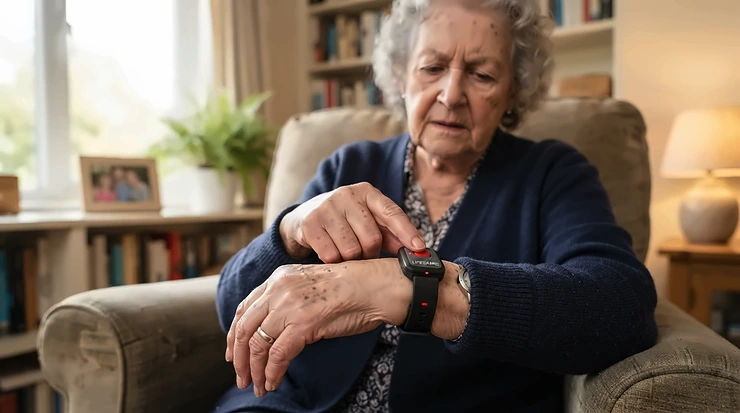
The number printed on the box is the smaller half of what kids smartwatches cost. A watch around $150 on a plan of $12.99 to $17.99 a month, the range SafeWise reports for the Gabb Watch 3e, adds up to roughly $460 to $580 over two years before taxes and any activation fee (my arithmetic). Pick the wrong watch for your network, your child’s school or your child’s age, and that money ends up in a drawer. For 2027, the safer order when buying kids smartwatches is plan first, features second, brand last.
What follows is a six-step way to choose, a look at where these watches fail after the first week, and four watches matched to different situations: the Gabb Watch 3e, TickTalk 5, Garmin Bounce 2 and Apple Watch SE 3. SafeWise’s tests with five families, the makers’ product pages, Apple’s support documentation and several parents’ own write-ups supply the findings, and none of these watches was worn for this article, so every comment on fit or reliability carries a name.
The short answer: a locked-down watch such as the Gabb Watch 3e suits a first grader who only needs to call home, video calls and the longest battery point to the TickTalk 5, a Garmin-run plan with no carrier to manage points to the Garmin Bounce 2, and an iPhone household with a middle schooler can look at the Apple Watch SE 3. Prices below are ranges, and the current price on Amazon.com may differ.
Plan first, watch second: a method that heads off most regrets
Decide the job the watch has to do
SafeWise sums up the category as location tracking, secure messaging and protection from unknown callers, with games and virtual pets as extras. That short list is the real brief. A first grader walking to the bus needs a call-home button and a handful of approved adults; a sixth grader wants to text friends, and that is where closed systems start to pinch. A parent writing on Jeff Kaufman’s Substack found that messages on the Verizon Gizmo Watch run through the Gizmohub app, so a friend on another brand of smartwatch can’t reach the kids at all.
Age ranges are the other early filter, and the sources spread them wide. SafeWise lists 5 to 14 for the Gabb Watch 3e, the maker gives 3 to 12 for the TickTalk 5, a Target listing puts the Garmin Bounce 2 at 6 and up, and SafeWise sets the Pinwheel Watch at 9 to 14.
Kids smartwatches with sim card: who supplies the line?
Every cellular watch needs a line, and the sources show four ways of getting one. The TickTalk 5 ships with a pre-installed nano SIM on AT&T’s or T-Mobile’s network, according to the maker. The Gabb Watch 3e works only on Gabb Wireless, which Android Central describes as a Verizon MVNO, and the Verizon Gizmo Watch 3 Adventure needs a Verizon plan, per SafeWise. The Garmin Bounce 2 is the odd one out: Target’s listing says Garmin manages the LTE subscription, so there is no carrier to pick. The Apple Watch SE 3 goes the other way and takes an eSIM line from a carrier that supports Apple’s family setup.
Searches for kids smartwatches with sim card often assume a card you can pull out. Of these four, only the TickTalk 5 is described as shipping with a physical nano SIM.
Bringing your own line is rarely simple. SafeWise notes that the TickTalk 5 is not compatible with Verizon or Sprint SIMs, and a parent blogging at My Money Blog found that many budget carriers, Mint Mobile among them, don’t support smartwatches at all. The same writer adds that a watch’s small antenna can lose service where a phone keeps it, so check coverage at home, at school and on the grandparents’ street before choosing a network.
Add up two years, not the sticker
Hardware is a one-time cost and the plan is not. The table turns ranges from SafeWise, the makers and My Money Blog into a rough two-year total with taxes left out. It assumes hardware around $150 for the first watch, $160 for the second, $300 for the third and $300 to $330 for the fourth with cellular, the last based on Tom’s Guide showing the cellular upgrade at about $50 on the 44mm model.
Watch
Where the line comes from
Plan range reported
Rough 24-month cost
Gabb Watch 3e
Gabb Wireless, Verizon-based
$12.99 to $17.99 a month, plus a $30 activation fee in retailer listings
About $490 to $610
TickTalk 5
Pre-installed SIM, AT&T or T-Mobile
$9.99 to $19.99 a month, no activation fee per the maker
About $400 to $640
Garmin Bounce 2
Garmin-managed LTE
$9.99 a month, or about $99 a year
About $500 to $540
Apple Watch SE 3 (cellular)
eSIM from a supporting carrier
About $6.50 to $15 a month, depending on provider
About $450 to $690
Two things move these totals more than the watch does. The plan tier is the first: the TickTalk 5 range runs wide because the maker sells several tiers, so the low end assumes the cheapest. Surcharges are the second. Kaufman’s family expected to pay $20 a month for two Gizmo watches and was billed $28.28; with a $35 activation fee, their three-year total came to $694 against the $510 they had planned on, about 36% more. One family’s bill is not a rule, but it is reason enough to read the carrier’s fee label before ordering.
Kids smartwatches with calling features: compare contacts, video and 911
SafeWise’s spec table makes the differences easy to see.
Watch
Approved contacts
Video calling
Direct 911
Gabb Watch 3e
100
No
No
TickTalk 5
53
Yes
Yes
Verizon Gizmo Watch 3 Adventure
20
No
No
Pinwheel Watch
Unlimited
No
Through a 911 contact the parent adds
Bark Watch
Unlimited
No
Yes
myFirst Fone R2
Unlimited
Yes
No
Contact count matters more than it sounds. Two parents, two sets of grandparents, a coach and a carpool already approach 20, and the Substack parent expected to exceed the Gizmo’s limit. Video is the rarer feature: only the TickTalk 5 and myFirst Fone R2 offer it here, and SafeWise calls the TickTalk 5 picture fuzzy. A direct 911 button cuts both ways. SafeWise credits the Gabb Watch 3e with fewer false alarms because it has none, while the maker of the TickTalk 5 says a 911 call sends a real-time alert to the parent app. Decide which of those you would rather have before you decide on a brand.
Read the battery number against the tests
Advertised and tested battery figures disagree in both directions in SafeWise’s table. The Gabb Watch 3e is rated at 24 hours and tested at 34, the TickTalk 5 is rated at 100 and tested at 98, and the Verizon Gizmo Watch 3 Adventure is rated at 86 and tested at 43. Garmin advertises two days for the Garmin Bounce 2, and TechRadar’s pre-teen reviewer saw just over one.
Standby hours and hours of use are different things, so the useful test is whether the watch survives a school day plus practice, with a margin for a child who forgets the charger. Android Central points out that charging depends on the child remembering. The maker of the TickTalk 5 says video calls are its heaviest single drain and caps each one at three minutes.
Line up school rules and privacy before checkout
School rules vary by district. Bark’s roundup of school policies, from a company that also sells a watch, cites New York City requiring internet-enabled devices to be shut down or put away during the school day and Paulding County, Georgia, allowing watches that aren’t used for communication or gaming. It also cites a 2026 Brookings study finding that nearly 98% of students attend a school with some form of cellphone ban, and a 2024 EdWeek survey in which 40% of surveyed educators saw smartwatches as a behavioral or disciplinary challenge, 11% reported a full ban and 30% were considering one. Read the handbook first, then switch on school mode and confirm exactly what it limits.
Privacy is the other half. The FTC’s COPPA FAQ says the rule covers connected devices, that latitude and longitude count as personal information, and that operators generally need verifiable parental consent before collecting personal information from children under 13. In plain terms, expect a consent step during setup, and read what the parent app stores before you accept it. Account sharing deserves a look too: one parent in SafeWise’s testing couldn’t give a spouse equal access to the Gabb Watch 3e account.
Where kids watches fail after week one, according to owners and testers
Battery is the most repeated complaint, and three separate accounts agree on it. Kaufman’s family found their Gizmo watches ran well short of the advertised three days and died only on heavy-use days, and a 3 a.m. low-battery alert woke a child who had forgotten to charge. TechRadar’s reviewer saw just over a day from the Garmin Bounce 2, and the child charged it most nights. My Money Blog’s parent says his daughter sometimes lets her Apple Watch die completely and advises a fallback plan.
Interest fades too. TechRadar’s pre-teen tester lost interest in the Garmin Bounce 2 after a couple of months and missed a heart rate sensor. That is one child’s experience, but it is a reason to weigh calling and location above the pet game.
Connection quality varies by network and by day. My Money Blog’s parent says his Apple Watch worked roughly 90% of the time, with misses traced to weak reception at school, watch glitches that needed a restart and random cellular drops, and that messaging over data is less reliable than plain calls. A MacRumors forum poster with two cellular Apple Watch SE units on Verizon reports inconsistent Find My results; that is a single post, not a pattern. On the Garmin Bounce 2, one Target reviewer reports delayed messages and another complains it is all features or none, with no customization.
Two mistakes happen before checkout. A GPS-only Apple Watch can’t be set up for a family member, because Apple’s support page requires a cellular model. And 9to5Mac points out that without an active cellular service the main reason to give a child the watch disappears.
Best kids smartwatches 2027: four that fit four situations
These four are not ranked. Each one answers a different step above: the job, the line, the calling features and the older child. SafeWise’s 2026 Kids Safety Awards cover two of them, and every price below is a range to confirm on Amazon.com.
Three or four approved adults and a call button are the whole job for many first graders, and this watch is built around that scope. SafeWise named the Gabb Watch 3e its best first watch and its pick for first and second grade in the 2026 Kids Safety Awards, and Gabb says in its blog replies that its devices have no internet browser. The watch costs around $150, plans run $12.99 to $17.99 a month depending on contract in SafeWise’s table, and retailer listings add a $30 activation fee.
SafeWise measured 34 hours of battery against 24 advertised, counted 100 contacts and placed location accuracy third in its tests. Android Central’s review covers the earlier Gabb Watch 3, which it describes as running on a Verizon-based network with Wi-Fi support, a 12-to-14-hour day and no camera or app store, so that battery figure may not carry over to the newer model.
Pros:
Easy setup, a step-and-chore pet game and a tough screen, per SafeWise
No 911 button, which SafeWise credits with fewer false alarms
100 contacts, far above the Verizon-run Gizmo’s 20
Cons:
No location history, no audio drop-in and no 911, per SafeWise
Locked to Gabb Wireless, so weak Verizon coverage limits it, per Android Central
One SafeWise parent couldn’t give a spouse equal account access
Android Central adds that older kids may find the Gabb Watch 3 too limited.
Gabb Watch 3eSee current price, sizes and reviews on Amazon.
2. TickTalk 5 — video calls and the longest battery
Plan flexibility is where this watch separates itself from the Verizon-only options. The maker says plans start at $9.99 a month plus tax with no contract and no activation or cancellation fee, and SafeWise lists $9.99 to $19.99 depending on tier. The watch itself runs around $160 and ships with a pre-installed nano SIM on AT&T’s or T-Mobile’s network. The maker’s page showed it as sold out at the time of checking, so confirm availability on Amazon.com.
Its calling features are the deepest of the four. SafeWise counts 53 contacts, video calling, audio drop-in, location history and a 911 option, and the maker adds a 5MP camera for video calls over Wi-Fi or LTE. SafeWise’s testers found the video fuzzy, though permissions were easier to set up than on the older TickTalk 4. Battery earned the watch SafeWise’s 2026 Best Battery Life award, with 98 hours measured against 100 advertised.
The gaps are specific. SafeWise found no geofencing, no keyboard and location accuracy of about 30 to 50 feet, and the maker’s FAQ says video calls can warm the watch slightly. IP67 covers brief submersion, but the maker says swimming, bathing and showering are not recommended. Verizon households should note SafeWise’s warning that the watch is not compatible with Verizon or Sprint SIMs.
TickTalk 5See current price, sizes and reviews on Amazon.
3. Garmin Bounce 2 — Garmin-managed plan with no carrier switch
Price and battery are the sore points, so they come first. TechRadar’s review puts the watch at around $300 and calls it pricey; calling, messaging and tracking need an LTE plan of $9.99 a month, with an annual option near $99. Its reviewer’s child got just over a day from a charge against the two days Garmin advertises, and wanted a full school week.
What the money buys is simplicity. Target’s listing says the LTE subscription is managed by Garmin, so there is no phone-provider switch, and it lists two-way calling, text messaging and real-time location through the Garmin Jr. app for ages 6 and up. T3 adds geofencing, boundary alerts and a 1.2-inch AMOLED screen.
Testers and buyers report caveats. TechRadar notes that GPS was inconsistent in rural areas, the charger is proprietary and contacts must live in a Garmin Jr. app the reviewer called “a little too locked in.” The same child lost interest after a couple of months. REI’s page showed an average of 3.9 stars across 44 reviews at the time of checking.
Garmin Bounce 2See current price, sizes and reviews on Amazon.
Apple’s own terms come first. Apple’s support page requires a cellular Apple Watch SE or a Series 4 or later, a parent’s iPhone 6s or later for setup, and a Family Sharing group; a cellular plan isn’t required to set up but is needed for some features. Cellular versions of the Apple Watch SE 3 run around $300 to $330, and plans for the watch cost roughly $12 to $15 a month from major carriers or about $6.50 on annual billing from a standalone provider, according to My Money Blog.
The child gets calls, messages and location sharing with the parent, Schooltime, Ask to Buy and, in the US, Apple Cash Family for under-18s. Apple also lists what a family-member watch lacks: Apple Pay with a card, sleep tracking, Blood Oxygen and ECG among them. Under 13, Move minutes replace active calories, and high and low heart rate notifications start at 13.
Pros:
Schooltime blocks incoming calls during set hours while a parent’s number can stay whitelisted, per My Money Blog
Plain phone calls are the most reliable way to reach the child, per the same parent
Third-party bands cost far less than Apple’s, about $10 on Amazon against $50, per My Money Blog
Cons:
Needs a parent’s iPhone, which My Money Blog says may stump Android-only families
Battery sources conflict: Rogers’ Apple Watch page repeats Apple’s 18-hour rating, while PCMag, quoted by iThinkDiff, reports two-day battery life
Data messaging is less dependable than calls, per My Money Blog
Compare the exact model name and cellular option on each Amazon.com listing with the names above before ordering, because each maker sells near-identical cousins.
Apple Watch SE 3See current price, sizes and reviews on Amazon.
“Smartwatches men kids” searches: when an older boy needs a bigger watch
A query such as “smartwatches men kids” usually points to a parent weighing an adult-size watch for a tween or teenager who has outgrown a colorful children’s model. Three routes show up in the sources.
The Apple Watch SE 3 is the adult-size route. Tom’s Guide lists the 44mm case at around $280 without cellular and about $330 with it, and Apple’s support page says family-member watches get heart rate notifications from age 13.
The Pinwheel Watch is SafeWise’s pick for older kids: around $160 plus $14.99 a month, ages 9 to 14, unlimited contacts, a camera, a keyboard, multiple parent admins and 911 as an added contact. SafeWise says early GPS problems appear to be fixed by an update, and lists 18 hours advertised against 24 tested.
The Bark Watch is SafeWise’s overall pick and its winner for location accuracy. Upfront cost is close to the Garmin Bounce 2, at around $290 plus $12 a month and a required service plan, and SafeWise credits it with unlimited contacts, a 911 option, escalation to the next contact after 20 seconds, remote shutdown and flagging of problematic messages and photos. It has no video calling or games.
Kids smartwatches reviews: where testers and parents agree and clash
On the big picture, the best kids smartwatches lists line up. SafeWise rated the Gabb Watch 3e and the TickTalk 5 4.5 out of 5 and the Verizon Gizmo Watch 3 Adventure 4.4, and gave its overall pick to the Bark Watch. The awards reward different strengths: first and second grade, battery life and value, in that order for the first three.
The clashes are more useful. Battery is one, as the advertised and tested gaps above show. Video quality is another: SafeWise calls the TickTalk 5 picture fuzzy, while TickTalk’s own blog describes HD video, and rating tallies published by a maker deserve the discount you would give any seller. Ratings for a single watch also spread, with REI’s 3.9 for the Garmin Bounce 2 against TechRadar’s 3.5 out of 5 for value.
SafeWise’s page even contradicts itself in places: it gives the Bark Watch a 4.6 in one spot and a 4.7 in another, and lists geofencing for the Pinwheel Watch in its specs while the cons say there is none. Confirm any deciding feature on the maker’s page.
SIM cards, plans and school rules, answered
Do kids smartwatches need a SIM card and a monthly plan?
For calling, texting and live location away from Wi-Fi, yes. Some watches ship with a SIM on the maker's plan, one uses a maker-managed LTE plan with no carrier to choose, and Apple's uses an eSIM from a supporting carrier. Budget roughly $10 to $15 a month.
What is a good age to start with a kids smartwatch?
Makers and testers span wide ranges: SafeWise lists 5 to 14 for its first-watch pick, one maker says 3 to 12, and the older-kids pick targets 9 to 14. Match the age to the job: a call-home button for younger children, texting and a keyboard for older ones.
Can my child wear a smartwatch at school?
It depends on the district. Bark's roundup says New York City requires internet-enabled devices to be shut down or put away, while one Georgia district allows watches not used for communication or gaming. Read the handbook, then use school mode and confirm exactly what it limits.
Can an Apple Watch work for a child who has no iPhone?
Yes, with limits. Apple's support page says a cellular Apple Watch SE or Series 4 or later can be set up through a parent's iPhone with Family Sharing, so the child needs no iPhone but the parent does. A GPS-only model won't work for this.
Which kids smartwatches have video calling or a direct 911 button?
In SafeWise's six-watch table, only two offer video calling and only two have a direct 911 option, while a third accepts 911 as an added contact. Just one watch has both video and 911, so decide which matters more before choosing.
Settle the line, then choose the child’s watch
Coverage where your child spends the day decides whether any of these works, and the plan fee outweighs the hardware gap in most of the comparisons above. For kids smartwatches in general, a younger child who needs a call-home button points to the Gabb Watch 3e, a family that wants video calls and long battery to the TickTalk 5, a household that would rather not manage a carrier to the Garmin Bounce 2, and an iPhone family with an older child to the Apple Watch SE 3. Whichever you choose, confirm school rules, charge habits and contact limits first, since those cause more returns than any missing feature.
Read the maker’s plan terms before you open the Amazon.com listing for the watch that matches your network.
WatchWiseHub is an independent buying-guide site for watches, smartwatches, straps and accessories. Our editorial team compares gear using manufacturer specifications, independent tests from specialist watch media, owner reports and retailer listings. We do not claim to have tested the watches ourselves; see How We Choose Gear for our method.