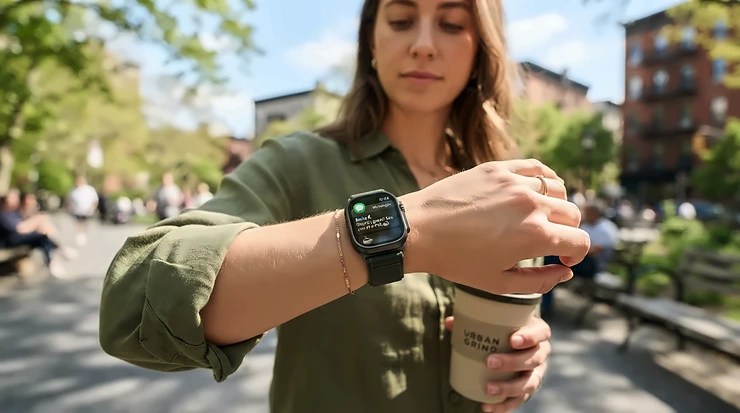
Smartwatches for iPhone sort into one clear leader and a few honest compromises: an Apple Watch uses everything your phone allows, Garmin and Amazfit models pair well but cannot send texts from the wrist, and current Samsung Galaxy and Google Pixel watches will not pair at all. That split decides more than screen size or sensor count. Anyone buying smartwatches for iPhone in 2027 can settle the choice with four checks, then match one of four watches to the answers.
The findings rest on support pages from Apple, Garmin, Amazfit and Google, reviews from Engadget, TechRadar, Android Central, Android Authority and Tom’s Guide, and owner threads on Garmin and Apple forums. Nobody wore these watches for this guide, so every verdict on comfort or accuracy belongs to a named reviewer, and prices appear as ranges worth rechecking on Amazon.com.
Smartwatches that work with iPhone, and the families that never will
Smartwatches with iPhone support fall into three groups. The first is Apple’s own line, which needs an iPhone to function: the page for the Apple Watch Series 12 lists an iPhone 11 or later running iOS 27. The second is Garmin and Amazfit, which pair through the Garmin Connect and Zepp apps, show iPhone notifications and sync workouts, but lose some features Apple keeps for its own watches.
The third group is the dead end. Google’s compatibility page for the Google Pixel Watch states that iPhones aren’t supported, and Android Central’s explainer says Samsung Galaxy Watch models on Wear OS have needed an Android phone since the Samsung Galaxy Watch 4. Older Tizen models such as the Samsung Galaxy Watch 3 did pair with iPhones, though How-To Geek lists that watch’s support as ending in August 2023, which makes a used one a poor bet.
Phone, wrist replies, battery and budget: the checks that narrow the field
Run these in order. Each one removes options the next would waste your time on.
Start with the iPhone in your pocket
An iPhone older than the 11 closes the Apple route before shopping begins, because Apple’s page for the Apple Watch Series 12 sets that floor along with iOS 27. Apple’s support page for the Apple Watch SE 3 contradicts itself, naming iOS 27 in its compatibility section and iOS 26 elsewhere on the same page, so confirm the requirement against your phone’s current iOS before paying. Garmin and Amazfit are more forgiving: iDevice’s compatibility page lists the Amazfit Active 2 as working with iOS 15 or later through the free Zepp app.
Decide how much you will text from your wrist
This check separates the groups. Apple Watch models answer messages directly, Apple’s support page says cellular models can reply even when your iPhone is out of range, and Android Authority’s matchup describes the SE line’s calls, texts and voice commands as seamless. Garmin sits at the other end. Garmin’s own manual for the Venu 4 limits text replies, and declining a call with a text, to compatible Android phones, and adds that every notification you enable in iOS settings also appears on the watch.
One reviewer’s week shows what that feels like. A Tom’s Guide writer who swapped an Apple Watch Series 11 for the Garmin Venu 4 could only read messages on her wrist and ended up turning smart notifications off. Owners in Garmin and Apple community threads raise the same complaint repeatedly, and one Garmin forum thread holds a lone reply telling the asker to “Ask Apple.” That is a pattern across several threads, not a measured share of owners.
Amazfit sources disagree. iDevice’s compatibility page, which cites Amazfit, says replies from the watch work on Android only, while a Tech Advisor review says iPhone owners get quick replies. Notebookcheck reports interactive iOS notifications in beta on select Amazfit models, limited to the European Union. Plan on read-only alerts in the United States and use the return window to test anything more.
Match battery life to how you charge
Apple rates the Apple Watch SE 3 at up to 18 hours of normal use and 32 in Low Power Mode, with 15 minutes on the charger buying about 8 hours. The Apple Watch Series 12 is rated at 24 hours and 38 in Low Power Mode, and 15 minutes adds up to 12 hours. Garmin plays a different game: iDevice’s summary of Garmin’s figures puts the Garmin Vivoactive 6 at up to 11 days in smartwatch mode and 5 with the always-on display running.
Rated days and tested days differ. Android Central’s reviewer averaged about eight days on the Garmin Venu 4 against a rating of 10 to 12, and TechRadar watched the Amazfit Active 2 drop from 55% to 13% over 53 hours of heavy use that included a run and two nights of sleep tracking. An Apple Watch is a nightly charger by design, and that is the cost of wrist replies.
Set a ceiling for cheap smartwatches for iPhone
Cheap means different things by brand. The Amazfit Active 2 is the lowest at around $100 to $130, depending on the version, and the Apple Watch SE 3 sits near $250, with Engadget noting that the Apple Watch Series 11 cost about $150 more when it reviewed them. The Garmin Vivoactive 6 runs around $300 according to TechRadar and iDevice. The Garmin Venu 4 costs between roughly $545 and $605 across the retailer listings in Android Central’s review, and the Apple Watch Series 12 starts near $400 according to a footnote on Apple’s own page, with larger, titanium, ceramic and cellular versions costing more.
One budget detail is easy to miss. TechRadar says NFC, which handles tap-to-pay, comes only on the premium Amazfit Active 2, so the cheapest version has no contactless payments.
Where smartwatches for iPhone reviews and owners disagree
Reviewers agree on the limits and split on how much those limits matter. Android Authority’s matchup of the Apple Watch SE line against the Garmin Vivoactive 6 shows the divide. Its author found deep iPhone integration meant a flood of buzzes and group-chat banners mid-workout, while Garmin’s tracks stayed tighter under tree cover and its battery lasted about five days to the Apple watch’s one. The same author still preferred the SE for everyday wear because of calls, texts and app support, and a reader poll on the piece favored Garmin with 80% of 449 votes. That is one reviewer plus a self-selected poll, and the SE it tested may predate the Apple Watch SE 3.
Garmin’s side has complaints of its own. TechRadar’s reviewer wanted a microphone and voice assistant on the Garmin Vivoactive 6 and found its older V4 heart-rate sensor less accurate than the newer V5 against a Polar H10 chest strap. Android Central’s reviewer found the heavier build of the Garmin Venu 4, up to 56 g with its strap, uncomfortable to wear, especially for sleep tracking. At the budget end, TechRadar called the fit of the Amazfit Active 2 slightly imperfect and its strength-workout planner clunky.
Four ways to end up with the wrong watch
Buying a Samsung or Google watch because Android reviews rave about it. Read the maker’s compatibility line before any review.
Expecting Garmin or Amazfit to answer texts. Decide whether read-only alerts are enough, because Apple’s watches are the only ones the sources above describe as fully working.
Buying a GPS-only Apple Watch for a child who has no iPhone. Apple’s family-setup guide calls for a cellular-capable Apple Watch SE or Series 4 or later, and a plan is needed for some features, so buy the cellular version.
Paying for the base Amazfit Active 2 when you want tap-to-pay. Step up to the premium version with NFC.
Best smartwatches for iPhone in 2027: four that pass the checks
Each watch below ties back to one or more of the checks: wrist replies, battery, budget. Prices are ranges drawn from the reviews and listings above.
Watch
iPhone support
Texts from the wrist
Rated battery
Cost range
Apple Watch SE 3
Full; Apple’s page names iOS 26 and 27
Yes
Up to 18 hours
Around $250
Apple Watch Series 12
Full; iPhone 11 or later, iOS 27
Yes
Up to 24 hours
From around $400
Garmin Vivoactive 6
Garmin Connect app
Read only
Up to 11 days
Around $300
Amazfit Active 2
Zepp app
Read only per iDevice; sources disagree
55% to 13% over 53 hours of heavy use, per TechRadar
Around $100 to $130
Two columns do the sorting: wrist replies and battery. No row gives you both multi-day battery and texting from the wrist on an iPhone. The cheapest row also carries the most conflicting compatibility reports, which is why it sits last.
1. Apple Watch SE 3 — full iPhone features at the lowest Apple price
Parents buying a first watch, new smartwatch owners and anyone replacing a broken one are the buyers Engadget’s reviewer names for the Apple Watch SE 3, and Apple’s spec page backs the reasoning. Engadget’s review calls it good enough to replace the Apple Watch Series 11 for most people at around $250. It keeps an Always-On Retina display rated at 1,000 nits, Ion-X front glass, a temperature sensor and 50-meter water resistance.
What it drops is specific. Engadget lists no ECG, no blood oxygen readings, no hypertension alerts and no ultra wideband chip for precise Find My, and says both watches lasted a full day in its testing, with the Apple Watch Series 11 slightly longer. Check current availability below for the 40mm or 44mm case and the GPS or cellular version.
Pros:
Replies to messages and takes calls from the wrist with an iPhone
A 15-minute charge gives up to about 8 hours of normal use, per Apple
Cellular versions add 5G RedCap and LTE, though a wireless plan is required
Cons:
No ECG, blood oxygen or hypertension alerts, per Engadget
Up to 18 hours per charge means nightly charging, and Expert Reviews calls the battery poor
Apple’s spec page says the 44mm case fits wrists from 140 to 245 mm and the 40mm from 130 to 200 mm.
Apple Watch SE 3See current price, sizes and reviews on Amazon.
Starting near $400 on the strength of Apple’s own page, the Apple Watch Series 12 costs roughly $150 more than the Apple Watch SE 3 (my arithmetic), and the money goes into sensing. Apple announced it on September 9, 2026, with retail availability on September 18, per iClarified’s launch report. Apple’s page describes a Health Sensing System with background heart-rate readings every five seconds and heart-rate variability as often as every five minutes, plus readiness and sleep scores, ECG and Blood Oxygen apps, and hypertension and sleep apnea notifications.
The body differs from the SE 3’s too: Ceramic Shield 2 on aluminum cases, WR50M water resistance and IP6X dust resistance, in 42mm or 46mm cases of aluminum, titanium or ceramic. Apple rates battery at 24 hours of normal use, 38 in Low Power Mode and up to 10 hours of outdoor workout tracking, though iClarified notes Apple’s tests used preproduction hardware, and it adds that Apple frames the Vitals app as wellness rather than medical use.
Compatibility has one limit. Apple’s page says Live Rewind and Siri Recap, both in beta for late 2026, need an Apple Intelligence iPhone 16 or later, excluding the iPhone 16e, so an iPhone 11 will run the watch but not every headline feature.
Apple Watch Series 12See current price, sizes and reviews on Amazon.
Texts arrive on the Garmin Vivoactive 6 and stay read-only on an iPhone. iDevice’s compatibility page says the watch pairs through Garmin Connect, shows texts, emails and alerts, syncs health and workout data and controls music, while replies from the watch and photos in notifications are Android-only. Anyone who treats the wrist as a notification screen, not a keyboard, loses little.
What you gain is endurance and a lower price: around $300, up to 11 days in smartwatch mode, up to 21 days in Battery Saver mode, a 1.2-inch AMOLED display and Garmin Pay, per iDevice. TechRadar lists it at 36 g with the band and 10.9 mm thick, and rates its value 5 out of 5. Check current availability below for the color and band you prefer.
The same review lists the limits. The Garmin Vivoactive 6 has no multi-band GPS, no microphone or voice assistant and the older V4 heart-rate sensor, so taking calls on the wrist is off the list. TechRadar also lists a single case size.
Garmin Vivoactive 6See current price, sizes and reviews on Amazon.
Buyers new to smartwatches who want to keep the spend small are the audience for the Amazfit Active 2. TechRadar’s review says the standard version costs around $100 and the premium version, with NFC, sapphire glass and a leather strap, around $130. It weighs 29.5 g and carries a 1.32-inch AMOLED screen peaking at 2,000 nits.
Accuracy is the surprise. On a 34-minute run, TechRadar’s reviewer found the GPS route and distance matched an Apple Watch Ultra 2, with average heart rate of 136 bpm against the Apple watch’s 135. The review also admits the watch lacks the depth of top Garmin models, and iDevice notes that it syncs to Apple Health and Strava through the Zepp app on an iPhone.
Pros:
GPS and heart rate close to a far pricier Apple Watch Ultra 2 on one tested run
TechRadar’s 53-hour heavy-use test took the battery from 55% to 13%
Light at 29.5 g and comfortable, per TechRadar
Cons:
Wrist replies are Android-only per iDevice, though one review disagrees
NFC tap-to-pay requires the premium version
Fit is slightly imperfect and the strength planner is clunky, per TechRadar
The premium version adds sapphire glass and a leather strap for roughly $30 more than the standard version.
Amazfit Active 2See current price, sizes and reviews on Amazon.
Pairing, replies and price: straight answers for iPhone owners
Do I need an Apple Watch if I have an iPhone?
No. Garmin and Amazfit watches pair through their own apps, show iPhone notifications and calls, and sync workouts, but they lose wrist texting and some Apple-only features. Only Apple's watches work as a full iPhone companion, so decide how much those features matter first.
Can I reply to texts from a Garmin or Amazfit watch with an iPhone?
Generally not. Garmin's manual limits text replies to compatible Android phones, and iDevice says the same for Amazfit, though one review disagrees. On an iPhone you can read and dismiss alerts, so test the return window before relying on replies.
Does a Samsung or Google smartwatch work with an iPhone?
Current models do not. Google's compatibility page says iPhones aren't supported for its watches, and Samsung's Wear OS Galaxy Watches have required an Android phone since 2021. Older Tizen models paired with iPhones, but their support ended years ago.
What is the cheapest smartwatch that works with iPhone?
Among the watches here, Amazfit's starts around $100 but reads texts only. The cheapest option that replies to messages is Apple's entry watch, at around $250. Prices shift, so check the current price on Amazon.com before ordering.
Can a child wear an Apple Watch without their own iPhone?
Yes, through Apple's family setup using a parent's iPhone, if the watch is a cellular model. A cellular plan is not required for setup, but calls and location sharing need one. Apple's guide requires a cellular-capable watch.
Settle the wrist-reply question first, then pay for the battery you need
If you text from your wrist, buy an Apple Watch and let your budget choose between the Apple Watch SE 3 and the Apple Watch Series 12. If you would rather charge weekly and accept read-only alerts, the Garmin Vivoactive 6 and the Amazfit Active 2 pair cleanly with an iPhone, one at around $300 and the other near $100 to $130. Whichever of these smartwatches for iPhone you shortlist, confirm the exact model, case size and cellular option on the Amazon.com listing before ordering, because Apple and Amazfit each sell several versions under one name. Leave Samsung and Google watches off the list entirely. Anyone unsure should start with the Apple Watch SE 3, the lowest-cost route that answers texts and the one Engadget’s reviewer calls good enough for most people.
WatchWiseHub is an independent buying-guide site for watches, smartwatches, straps and accessories. Our editorial team compares gear using manufacturer specifications, independent tests from specialist watch media, owner reports and retailer listings. We do not claim to have tested the watches ourselves; see How We Choose Gear for our method.